
To perform advanced debugging of Cumulative Layout Shift (CLS) using Chrome DevTools and the Layout Instability API, you can combine visual inspection tools in DevTools with programmatic monitoring via the API for detailed insights.
Using Chrome DevTools for CLS Debugging:
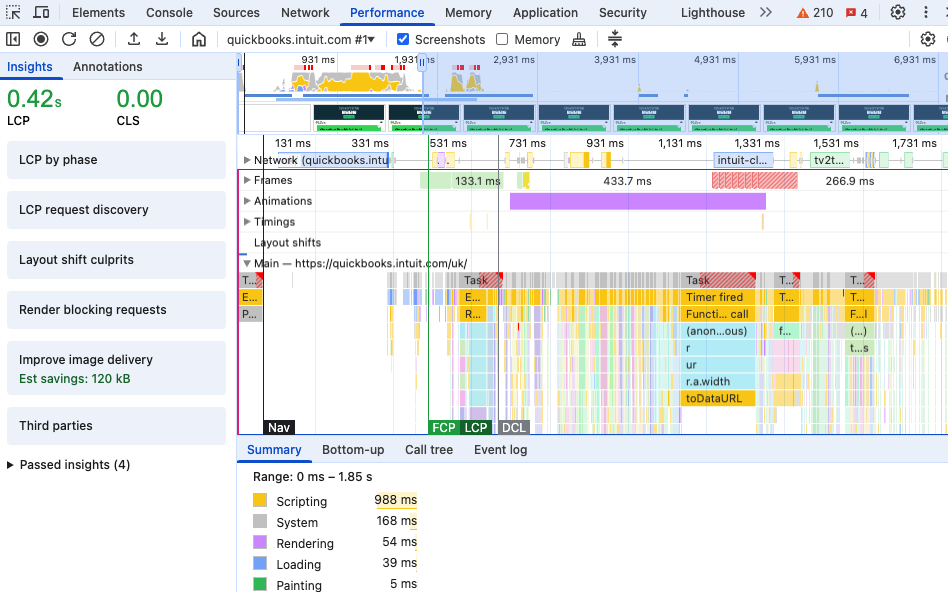
- Open DevTools and go to the Performance panel.
- Start profiling and reload the page to capture runtime performance.
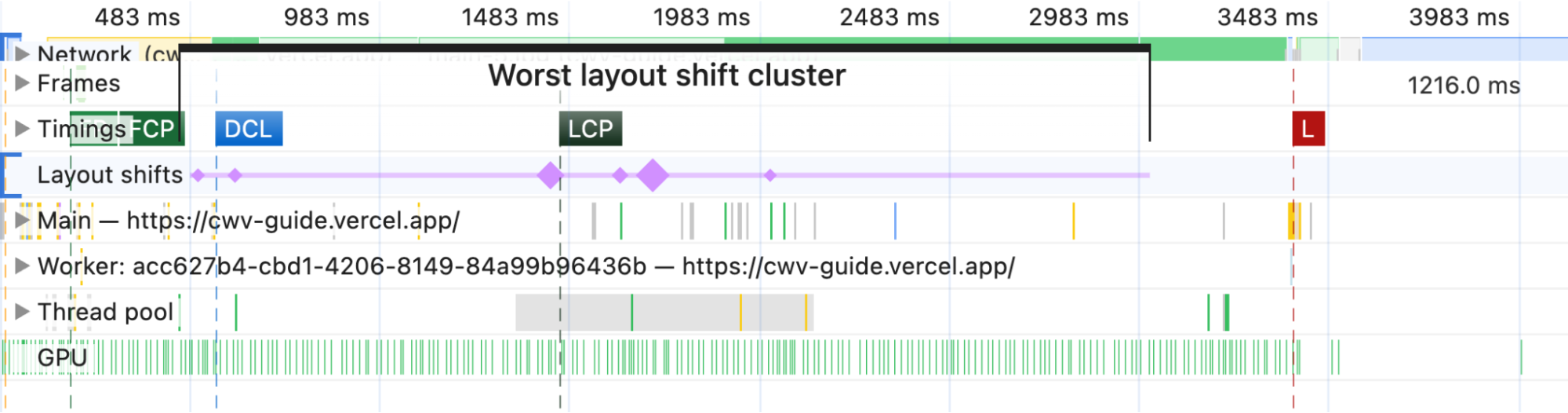
- In the performance report, locate Layout Shift events on the timeline.
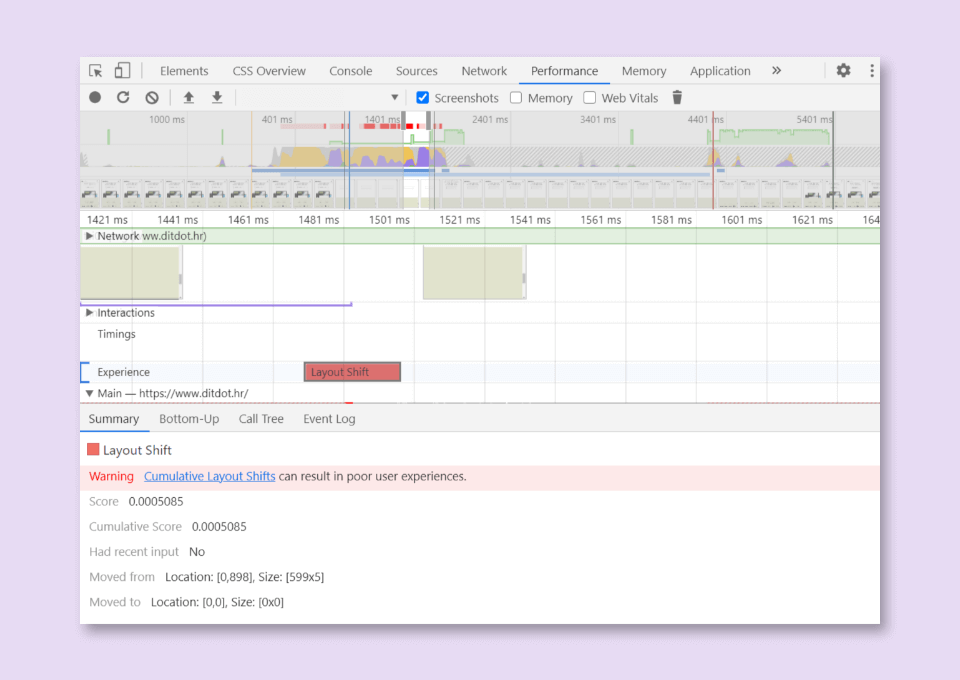
- Click a Layout Shift event to see detailed info in the Summary tab, including "Moved from" and "Moved to" fields that visually highlight what shifted.
- Alternatively, enable Layout Shift Regions under More Tools > Rendering in DevTools. This highlights unexpected layout shifts in blue as you interact with the page, making it easier to spot problematic elements visually.
Using the Layout Instability API for Programmatic Debugging:
- The Layout Instability API provides a flexible way to measure and log layout shifts in real-time.
- Use a
PerformanceObserverto listen forlayout-shiftentries, filtering out shifts caused by recent user input (which do not count towards CLS). - Example script to log CLS and layout shift details:
let cls = 0;

new PerformanceObserver((entryList) => {
  for (const entry of entryList.getEntries()) {
    if (!entry.hadRecentInput) {
      cls += entry.value;
      console.log('Current CLS value:', cls, entry);
    }
  }
}).observe({type: 'layout-shift', buffered: true});
- The
buffered: trueoption ensures the observer reports layout shifts that occurred before initialization, capturing a complete picture. - The API provides detailed information about each shift, including affected DOM nodes and their movement, enabling precise identification of problematic elements.
Summary of Benefits:
| Tool/Method | Purpose | Key Feature |
|---|---|---|
| Chrome DevTools Performance Panel | Visualize and analyze layout shifts over time | Timeline with detailed shift summaries |
| Layout Shift Regions (Rendering tab) | Highlight shifting areas live during interaction | Blue overlay on shifting elements |
| Layout Instability API (PerformanceObserver) | Programmatically monitor and log layout shifts | Real-time CLS calculation and detailed event data |
Using both approaches together allows you to visually identify layout shifts and then drill down into exact causes and timing with the API, enabling advanced CLS debugging and optimization.
This combined method is the recommended approach for developers aiming to reduce CLS and improve user experience on web pages.













Ang PH Ranking ay nag-aalok ng pinakamataas na kalidad ng mga serbisyo sa website traffic sa Pilipinas. Nagbibigay kami ng iba’t ibang uri ng serbisyo sa trapiko para sa aming mga kliyente, kabilang ang website traffic, desktop traffic, mobile traffic, Google traffic, search traffic, eCommerce traffic, YouTube traffic, at TikTok traffic. Ang aming website ay may 100% kasiyahan ng customer, kaya maaari kang bumili ng malaking dami ng SEO traffic online nang may kumpiyansa. Sa halagang 720 PHP bawat buwan, maaari mong agad pataasin ang trapiko sa website, pagandahin ang SEO performance, at pataasin ang iyong mga benta!
Nahihirapan bang pumili ng traffic package? Makipag-ugnayan sa amin, at tutulungan ka ng aming staff.
Libreng Konsultasyon